Jump: Search:

Total Visual SourceBook

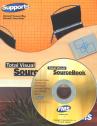
Total Visual SourceBook CD and Printed Manual

Microsoft Access 2007/2010 Version
is Shipping!

New features in Total Visual SourceBook for Access, Office 2007 and VB6

Supports Access/Office 2010 (32 bit), 2007, 2003, 2002, 2000, and
Visual Basic 6.0!

Also available for:
Access 97/95


View all FMS products for Microsoft AccessAll Our Microsoft Access Products

SourceBook Info:

Why SourceBook?


"The code is exactly how I would like to write code and the algorithms used are very efficient and well-documented."

Van T. Dinh, Microsoft MVP


Royalty free source code library modules for Microsoft Access, VB6, VBA, OfficeRoyalty free source code library modules for Microsoft Access, VB6, VBA, OfficeVBA and VB6 Source Code Library Download the free trial version of Total Visual SourceBook for Microsoft Access, Office, VB6 and VBA
Category: General VBA/VB6 : File and Disk Operations
Description: Managing disk drives, files, paths, folders, and subfolders with and without Windows API calls

Module: modFileDisk

File, directory and disk manipulation routines to copy, delete, and move files, folder and subfolders

Visual Basic offers many built-in commands and functions for working with files and disks.

Procedure Name

Type

Description

(Declarations) Declarations Declarations and private variables for the modFileDisk module
AddLineNumbersToFile Procedure Adds line numbers to a text file
AppendToTextFile Procedure Appends the supplied string to the named text file
AvailableDrives Procedure Determines which drives are currently available
CopyDirectory Procedure Copies all the files from one directory (folder) to another Note: does not copy files in sub-directories
CopyFile Procedure Copies a file
CountLinesInTextFile Procedure Count the number of line in a text file
CreateFileFromText Procedure Create (save) a file containing the text you provide
DirectoriesToArray Procedure Populates the passed array with a list of directories in the specified directory (folder)
DirectoryExists Procedure Determines if a directory (folder) exists as specified by drive letter (e.g. C:\)
DirectoryExistsUNC Procedure Determines if a folder (directory) exists including references to universal naming convention (UNC) folders
DriveExists Procedure Determines if a drive letter exists
FileExists Procedure Determines if a file name exists (returns TRUE if the file is a folder which exists)
FilesInSubFoldersToArray Procedure Create a list of all files with their full path in the specified directory and all its subfolders
FilesToArray Procedure Populates the passed array with a list of files in the specified directory
FilesToArrayRecursive Procedure Recursively populates the passed array with a list of files in the specified directory plus all its subfolders
GetNamePart Procedure Returns the name and extension of a fully qualified file name
GetPathPart Procedure Returns the path part of a string
IsAttributeSet Procedure Determines if the specified attribute is set on the specified file.
KillFile Procedure Deletes the named file, handling errors if the file does not exist
MakeFolder Procedure Create a folder (directory) if it doesn't already exist. The folder to create must be in a folder that already exists.
MakeSubFolders Procedure Create a folder (directory) and subfolders if it doesn't already exist The basic MkDir command only creates a folder in a folder that already exists.
MoveFile Procedure Moves the specified file to a new destination. If you use the VB Name function with the same file name for the source and destination arguments, but specify a different directory, the Name function actually moves the file. This procedure uses that behavior to move a file. Note that the destination file must not already exist. Use the FileExists function to determine if the file referenced by strDestination already exists. If so, delete it with the KillFile function.
ParsePath Procedure Parses the passed full path into its component parts
PurgeFile Procedure Replaces a file's contents with space characters for security. When you a delete a DOS file (with the Kill command, or though the operating system or the DOS DEL command), its contents are not removed from the disk. Instead, the file is marked as deleted, and the contents remain on the disk until the space is needed by other files. This can lead to a potential security problem. To solve this, you must fill the file with blank contents, and the delete it. This function accomplishes that process.
ReadFileBytes Procedure Retrieve the specified number of bytes from a file (can be any type of file including binary and text files)
ReadFileContents Procedure Opens the named file and returns its contents as a variant
ReadFileText Procedure Read the specified number of characters from a text file
ReadTextFileToArray Procedure Reads a text file into an array of strings
RenameFile Procedure Rename a file or directory (folder)
SetFileAttributes Procedure Sets the specified attributes on the specified file

Overview of Total Visual SourceBook

The source code in Total Visual SourceBook includes modules and classes for Microsoft Access, Visual Basic 6 (VB6), and Visual Basic for Applications (VBA) developers. Easily add this professionally written, tested, and documented royalty-free code into your applications to simplify your application development efforts.

Additional Resources

Feedback

Contact Us  l   Web questions: Webmaster   l   Copyright © FMS, Inc., Vienna, Virginia
Celebrating our 26th Year of Software Excellence