Jump: Search:

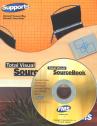
Total Visual SourceBook

Total Visual SourceBook CD and Printed Manual

Microsoft Access 2007/2010 Version
is Shipping!

New features in Total Visual SourceBook for Access, Office 2007 and VB6

Supports Access/Office 2010 (32 bit), 2007, 2003, 2002, 2000, and
Visual Basic 6.0!

Also available for:
Access 97/95


View all FMS products for Microsoft AccessAll Our Microsoft Access Products

SourceBook Info:

Why SourceBook?


"The code is exactly how I would like to write code and the algorithms used are very efficient and well-documented."

Van T. Dinh, Microsoft MVP


Royalty free source code library modules for Microsoft Access, VB6, VBA, OfficeRoyalty free source code library modules for Microsoft Access, VB6, VBA, OfficeVBA and VB6 Source Code Library Download the free trial version of Total Visual SourceBook for Microsoft Access, Office, VB6 and VBA
Category: General VBA/VB6 : Math
Description: General math and routines for area and volume, statistics, and trigonometry

Module: modMathGeneral

General math routines such as rounding, factorials, and determining the minimum and maximum values from a set of numbers

The code in this module also addresses rounding errors that exist in VBA functions. VBA has built-in functions for various mathematical operations. Search online help for "Math Functions" and "Derived Math Functions" for more information.

Procedure Name

Type

Description

(Declarations) Declarations Declarations and private variables for the modMathGeneral module
GetGCF Procedure Returns the greatest common factor (largest number that evenly divides into two numbers)
GetRandomInt Procedure Returns a random integer value between the range specified in the arguments, inclusive. The rnd operator normally returns a floating point value between 0 and 1. This function scales the value to return an integer between the range of numbers specified in the arguments. The range is inclusive, so the low-range and high-range values are as likely to be chosen as any of the other values between them.
IsNumberPrime Procedure Determines if a number is a prime number
MaxOfThree Procedure Returns the greater of three values. Null values are ignored; if all three values are Null, Null is returned.
MaxOfTwo Procedure Returns the greater of two values. Null values are ignored; if all three values are Null, Null is returned.
MinOfThree Procedure Returns the smallest of three values. Null values are ignored; if all three values are Null, Null is returned.
MinOfTwo Procedure Returns the lesser of two values. Null values are ignored; if all three values are Null, Null is returned.
PrimeFactors Procedure Calculates the prime factors of a number
RoundDown Procedure Rounds the passed number to specified number of decimal places with 0.5 rounded down. Numbers can be rounded to units on either side of the decimal point. Borderline numbers (.5) are rounded down. Use Round() to round borderline numbers up.
RoundExt Procedure Rounds a number to a specified number of decimal places (0.5 is rounded up). The VBA/VB6 Round function performs Bankers Rounding which 0.5 up or down depending on whether the previous digit is even or odd. This RoundExt funciton always rounds .5 up to the next highest value. RoundExt also allows you to round to hundreds, thousands, etc.
ScalePercent Procedure Scales a value to a range between 0 and 100. This procedure compares one value to another, and returns the percentage that the first number is of the second number, scaled to a value between 0 and 100. (The number could actually be less than 0 or greater than 100 if the 'dblCurrent' argument is less than 0 or greater than the 'dblMax' value.) This procedure is useful when you want to use a Progress Meter, ScrollBar, or another control with Min and Max properties. Instead of changing the properties of the control to match your input values, leave the Min and Max properties at 0 and 100. Then scale the value you wish to test to a number between the Min and Max value of the control. The number could be less than 0 or greater than 100 if the 'current' value is less than 0 or greater than the 'max' value.
Subtract Procedure Subtract two numbers with decimals correctly. In certain situations, VB/VBA does not subtract numbers with decimal places correctly (e.g. 100.8 - 100.7 = 0.099999999999943) This procedure corrects the problem by rounding the numbers correctly. The result cannot have more decimal places than the maximum of the inputs.

Overview of Total Visual SourceBook

The source code in Total Visual SourceBook includes modules and classes for Microsoft Access, Visual Basic 6 (VB6), and Visual Basic for Applications (VBA) developers. Easily add this professionally written, tested, and documented royalty-free code into your applications to simplify your application development efforts.

Additional Resources

Feedback

Contact Us  l   Web questions: Webmaster   l   Copyright © FMS, Inc., Vienna, Virginia
Celebrating our 26th Year of Software Excellence