Jump: Search:

Total Visual SourceBook

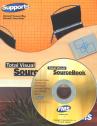
Total Visual SourceBook CD and Printed Manual

Microsoft Access 2007/2010 Version
is Shipping!

New features in Total Visual SourceBook for Access, Office 2007 and VB6

Supports Access/Office 2010 (32 bit), 2007, 2003, 2002, 2000, and
Visual Basic 6.0!

Also available for:
Access 97/95


View all FMS products for Microsoft AccessAll Our Microsoft Access Products

SourceBook Info:

Why SourceBook?


"The code is exactly how I would like to write code and the algorithms used are very efficient and well-documented."

Van T. Dinh, Microsoft MVP


Royalty free source code library modules for Microsoft Access, VB6, VBA, OfficeRoyalty free source code library modules for Microsoft Access, VB6, VBA, OfficeVBA and VB6 Source Code Library Download the free trial version of Total Visual SourceBook for Microsoft Access, Office, VB6 and VBA
Category: Microsoft SharePoint : Databases
Description: Working with Access databases on SharePoint

Module: modSharePointDatabases

Routines for working with Access databases on SharePoint

Procedure Name

Type

Description

(Declarations) Declarations Declarations and private variables for the modSharePointDatabases module
CreateDatabaseLinkedToSharePoint Procedure In Access 2007, NewCurrentDatabase can be used to create a new database linked to SharePoint.
DisallowPublish Procedure When a SP database is opened in Access 2007, Access allows you to publish the database to the SharePoint site (or save changes to the server). In some cases, you may not want database users to republish to the original site. This function deletes the PublishURL property, so that the user cannot publish to the SharePoint site.
DiscardChanges Procedure Discards changes that are made in an offline copy of a database connected to SharePoint. When working in an offline database connected to SharePoint, there are two options available for discarding changes. "Discard All Changes" and "Discard All Changes and Refresh".
DisplayAllViewsOnSP Procedure Creates a uesr defined property named 'DisplayAllViewsOnSharePointSite', which controls the availability of all forms and reports in the database. See "Control which forms and reports are available on a SharePoint site" (http://office.microsoft.com/en-us/access/HA102093071033.aspx) for details.
DisplayOnSP Procedure Controls the availability of a particular form or report on SharePoint. Available settings are "Follow Table Settings" and "Do Not Display". See "Control which forms and reports are available on a SharePoint site" (http://office.microsoft.com/en-us/access/HA102093071033.aspx) for details
DisplayViewsOnSP Procedure Controls the availability of all forms and reports in the database that use the table. Forms or reports that are based on other tables will not be affected by this change. See "Control which forms and reports are available on a SharePoint site" (http://office.microsoft.com/en-us/access/HA102093071033.aspx) for details
GetPublishPath Procedure When a SP database is opened in Access 2007, Access allows you to publish the database to the SharePoint site (or save changes to the server). This function returns the full URL of the database on the SharePoint site.
ImportSharePointData Procedure Use the TransferSharePointList method to import or link data from a Microsoft Windows SharePoint Services 3.0 site.
IsDatabaseCached Procedure When you have a database linked to SharePoint, a toggle determines whether list data in the database file is cached locally. Caching list data in the database file improves client/server performance, but increases the dataabase size. Also if the data is cached, and thae database is shared, users who do not have permission to view the data on the SharePoint site can still view it online. This is exposed in the UI on the External Data ribbon. This code automates toggling Cache List Data on or off. This code checks if the database is in Cached mode.
IsDatabaseOnline Procedure When you have a database linked to SharePoint, you have the option to work offline to make changes locally, and synchronize them with the server when you reconnect. This option caches list data locally, making it available to anyone who has access to the database (even if tehy don't have permission to view the data on the SharePoint site). This code checks if the database is in Online mode.
OpenDatabaseFromSP Procedure Open a database from SharePoint in your browser
OpenSPSite Procedure Open a SharePoint site in your browser Pass the full path for a database on SharePoint to open the database in Access, as an alternative for OpenDatabaseFromSP
SynchronizeWithSP Procedure Synchronizes the current database with SharePoint
ToggleCacheListData Procedure When you have a database linked to SharePoint, a toggle determines whether list data in the database file is cached locally. Caching list data in the database file improves client/server performance, but increases the dataabase size. Also if the data is cached, and thae database is shared, users who do not have permission to view the data on the SharePoint site can still view it online. This is exposed in the UI on the External Data ribbon. This code automates toggling Cache List Data on or off. This code automates toggling cached mode on or off.
ToggleDBOnOrOffLine Procedure When you have a database linked to SharePoint, you have the option to work offline to make changes locally, and synchronize them with the server when you reconnect. This option caches list data locally, making it available to anyone who has access to the database (even if tehy don't have permission to view the data on the SharePoint site). This code automates toggling the tables online or offline.

Overview of Total Visual SourceBook

The source code in Total Visual SourceBook includes modules and classes for Microsoft Access, Visual Basic 6 (VB6), and Visual Basic for Applications (VBA) developers. Easily add this professionally written, tested, and documented royalty-free code into your applications to simplify your application development efforts.

Additional Resources

Feedback

Contact Us  l   Web questions: Webmaster   l   Copyright © FMS, Inc., Vienna, Virginia
Celebrating our 26th Year of Software Excellence