Jump: Search:

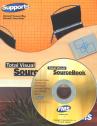
Total Visual SourceBook

Total Visual SourceBook CD and Printed Manual

Microsoft Access 2007/2010 Version
is Shipping!

New features in Total Visual SourceBook for Access, Office 2007 and VB6

Supports Access/Office 2010 (32 bit), 2007, 2003, 2002, 2000, and
Visual Basic 6.0!

Also available for:
Access 97/95


View all FMS products for Microsoft AccessAll Our Microsoft Access Products

SourceBook Info:

Why SourceBook?


"The code is exactly how I would like to write code and the algorithms used are very efficient and well-documented."

Van T. Dinh, Microsoft MVP


Royalty free source code library modules for Microsoft Access, VB6, VBA, OfficeRoyalty free source code library modules for Microsoft Access, VB6, VBA, OfficeVBA and VB6 Source Code Library Download the free trial version of Total Visual SourceBook for Microsoft Access, Office, VB6 and VBA
Category: Microsoft Visual Basic 6 : Graphics
Description: Creating graphics using the Windows API and native VB6 commands

Module: modGraphics

Routines for creating graphics, primarily with Windows API calls.

The majority of the procedures in this module enhance VB's built-in graphics handling capabilities by allowing you to call routines in the Windows API to create graphical effects on your forms and other objects. Routines such as GradientFill, DrawControlEdge and RotateText actually place graphical objects on your forms. Other routines in this module perform numerical or calculated transformations only, or retrieve graphical information, such as the TranslateVBColor, GetRedValue and GetPixelColor functions. These functions do not produce any output, but they are useful helper functions for working with VB graphics.

Procedure Name

Type

Description

(Declarations) Declarations Declarations and private variables for the modGraphics module
DrawControlEdge Procedure Draws a 3D border around a control. This function can be used to create nonstandard 3D effects around controls, such as etched lines, or sunken/raised effects which are 1 pixel rather than 2 pixels deep. A common use is to change the 3D effect to Raised when a control gets focus, and then change it back to sunken when it loses focus. This makes it easy for the user to determine which control has the focus. See the enumerated constants beginning with grphBDR_ and grphTBDR_ in the declarations section of the modControls module for various constant options which can be used with this function. Note: the effects are simply drawn onto the control's container using its hDC property. If the form is covered by another form, the Edge effect will be erased. You might want to draw the edge in the form or container's Paint event.
DrawFocusRectangle Procedure Draws a or removes a focus rectangle at the specified location. This function is a wrapper for the Windows API GetFocusRect function. It draws a standard dotted-line rectangle, which is usually used to indicate that the area has the input focus on the object. This function is useful if you are creating graphical controls, which don't have their own windows, and you wish to simulate a control getting focus. Calling the function twice in a row with the same coordinates removes the focus rectangle.
DrawPixel Procedure Draws one pixel at the specified location
DrawRectEdge Procedure Draws a 3D border with the specified dimensions. This function can be used to draw rectangles using various 3D effects such as etched lines, or sunken/raised effects which are 1 pixel rather than 2 pixels deep. Specify the dimensions of the rectangle by passing a grphRECT type variable containing values for Left, Top, Bottom and Right. See the EnumGraphicsBorderStyles constants in the declarations section of the modGraphics module for various constant options which can be used with this function. Note: the effects are simply drawn onto object using the hDC property. If the object is covered by another form, the Edge effect will be erased. You might want to draw the edge in the form or container's Paint event.
FillRectHatch Procedure Fills a specified rectangular area with a hatched style
FillRectPattern Procedure Fills a specified rectangular area with an 8x8 pixel pattern specified in the selected picture
FillRectSolid Procedure Fills a specified rectangular area with a selected color
FrameRectangle Procedure Draws a frame around the specified rectangular area
GetBlueValue Procedure Returns the Blue component of an RGB value
GetGreenValue Procedure Returns the Green component of an RGB value
GetPixelColor Procedure Returns the RBG color value of the specified pixel
GetRedValue Procedure Returns the Red component of an RGB value
GradientFill Procedure Draws a gradient on the background of an object, such as a form or picture, form between two specified colors. There are two ways to use this procedure. You may call it from your object's Paint event to draw the gradient each time the background of the object needs to be painted, or you can permanently draw the gradients onto the background of the object by writing to its persistent bitmap. In this case you need to 1) set the object's Autoredraw property to True, 2) Call the GradientFill function to draw the gradients, and then 3) set the object's Autoredraw property back to False.
InvertRectangle Procedure Inverts the colors of the specified rectangle. Call the function once to invert the colors in the rectangle. Call it again to restore the original colors.
PaintFromDesktop Procedure Fills the clipping region in the specified device context with the desktop pattern or wallpaper. This function is useful for creating alternative shell programs.
RotateText Procedure Draws rotated text onto a form or picture box. The text is printed directly onto the object.
TilePicture Procedure Tiles the contents of a PictureBox control on the background of a form. There are two ways to use this procedure. You may call it from your form's Paint event to refresh the tiling each time the background of the form needs to be painted. In this case you would want to set the fFillFormOnly argument to True, since there is no point in tiling the picture over any area of the form which is not visible. If the form is resized so that more of it becomes visible, the Paint event will fire anyway, and so that portion of the form will be drawn. Instead of tiling the picture in your form's Paint event, you might want to permanently draw the picture onto the background of the form by writing to its persistent bitmap. In this case you need to 1) set the form's Autoredraw property to to True, 2) Tile the picture on the form's background, and then 3) set the form's Autoredraw property back to False. In this case, if you have a resizable form, you will want to set the fFillFormOnly argument of the TilePicture function to true, so that if more of the form is uncovered when the user resizes it, the background will already have been drawn.
TranslateVBColor Procedure Translates VB color constants for system colors into GDI equivalents. VB color constants, such as vbRed, or vbBlue, or values returned using the QBColor() or RGB() functions, can be used directly for the color values used with Windows API calls. However, the VB color constants for system colors (vbButtonFace, vb3DShadow etc.) do not map correctly to those expected by Windows. This wrapper function accepts either form of constant, and translates the value, if necessary, into the equivalent value expected by the Windows GDI subsystem.

Overview of Total Visual SourceBook

The source code in Total Visual SourceBook includes modules and classes for Microsoft Access, Visual Basic 6 (VB6), and Visual Basic for Applications (VBA) developers. Easily add this professionally written, tested, and documented royalty-free code into your applications to simplify your application development efforts.

Additional Resources

Feedback

Contact Us  l   Web questions: Webmaster   l   Copyright © FMS, Inc., Vienna, Virginia
Celebrating our 26th Year of Software Excellence