Jump: Search:

Total Visual SourceBook

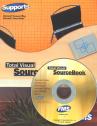
Total Visual SourceBook CD and Printed Manual

Microsoft Access 2007/2010 Version
is Shipping!

New features in Total Visual SourceBook for Access, Office 2007 and VB6

Supports Access/Office 2010 (32 bit), 2007, 2003, 2002, 2000, and
Visual Basic 6.0!

Also available for:
Access 97/95


View all FMS products for Microsoft AccessAll Our Microsoft Access Products

SourceBook Info:

Why SourceBook?


"The code is exactly how I would like to write code and the algorithms used are very efficient and well-documented."

Van T. Dinh, Microsoft MVP


Royalty free source code library modules for Microsoft Access, VB6, VBA, OfficeRoyalty free source code library modules for Microsoft Access, VB6, VBA, OfficeVBA and VB6 Source Code Library Download the free trial version of Total Visual SourceBook for Microsoft Access, Office, VB6 and VBA
Category: Microsoft PowerPoint : Automation
Description: Working with an instance of a PowerPoint presentation through Automation

Class: CPowerPoint

Class that provides a set of methods and properties that make it easy to start working with PowerPoint through automation.

Procedure Name

Type

Description

(Declarations) Declarations Declarations and private variables for the CPowerPoint class
ActivePresentation Property Get the name of the active Presentation
FirstSlideNumber Property Gets the number of the fist slide in the active Presentation
FrameSlides Property Gets the value to indicate if the slides are to be framed
LayoutType Property Gets the layout type of the active slide in the active Presentation
PresenationCount Property Get the count of Presentations that are currently open
SlideCount Property Gets the count of slides in the active Presentation
SlideFooterDateFormat Property Gets the date in the footer of the slides in the active Presentation
SlideFooterDateOn Property Gets the visibility of the date in the footer in the active Presentation
SlideFooterDateText Property Gets the text that indicates the date in the footer of the slides in the active Presentation
SlideFooterDateUseFormat Property Returns whether to format the date in the footer in the active Presentation
SlideFooterText Property Gets the text of the footer in the slides in the active Presentation.
SlideFooterTextOn Property Gets whether the footer text is visible in the slides in the active Presentation
SlideHeight Property Gets the height of the slide in the active Presentation
SlideNumberOn Property Sets whether the slide number is visible in the footer in the active Presentatio
SlideOrientation Property Gets the orientation of the slide in the active Presentation
SlidePosition Property Gets the actual position of the slide in the active Presentation
SlideWidth Property Gets the width of the slide in the active Presentation
WindowState Property Sets the state of the active Presentation
AddSlide Method Add a new slide in the active Presentation
ClosePowerPoint Method Close the PowerPoint application.
ClosePresentation Method Close the active or specified Presentation
CreateTitle2ColumnSlide Method Create a two column slide in the active Presentation
CreateTitleOnlySlide Method Create a Title only slide in the active Presentation
CreateTitleSlide Method Create a Title slide in the active Presentation
CreateTitleTextSlide Method Create a Title text slide in the active Presentation
DeleteSlide Method Delete a slide from the active Presentation
DuplicateSlide Method Duplicate an existing slide in the active Presentation
ExtractTitle2ColumnSlide Method Extract the text from the Title, 2-column slide in the active Presentation
ExtractTitleOnlySlide Method Extract the text from the Title only slide in the active Presentation
ExtractTitleSlide Method Extract the text from the Title slide in the active Presentation
ExtractTitleTextSlide Method Extract the text from the Title Text slide in the active Presentation
GetPresentationList Method Get a list of the Presentations that are opened
GotoSlide Method Switch to a particular slide in the active Presentation
MoveSlide Method Move a slide from one position to another in the active Presentation
NewPresentation Method Create a new, active Presentation.
OpenPresentation Method Open an existing Presentation
PreviewSlidePresentation Method Preview the slides in the active Presentation
PrintCurrentSlide Method Print the current slide in the active Presentation.
PrintSlidePresentation Method Print the slides in the active Presentation.
SavePresentation Method Save the active Presentation.
SavePresentationAs Method Save the active Presentation with a new name.
SetColumn1Attributes Method Set the attributes for Column 1.
SetColumn2Attributes Method Set the attributes for Column 2.
SetSubTitleAttributes Method Set the attributes for the SubTitle.
SetTextAttributes Method Set the attributes for the text in the slide.
SetTitleAttributes Method Set the attributes for the Title.
ShowSlideShow Method Execute the slide show presentation of the slides in the active Presentation.
StartPowerPoint Method Start an instance of PowerPoint

Overview of Total Visual SourceBook

The source code in Total Visual SourceBook includes modules and classes for Microsoft Access, Visual Basic 6 (VB6), and Visual Basic for Applications (VBA) developers. Easily add this professionally written, tested, and documented royalty-free code into your applications to simplify your application development efforts.

Additional Resources

Feedback

Contact Us  l   Web questions: Webmaster   l   Copyright © FMS, Inc., Vienna, Virginia
Celebrating our 26th Year of Software Excellence