|
You can save the current list to
an HTML Page for saving or
printing.
To do this, press the "Display Current Results Report"
button
on the toolbar. This displays the current contents of the
references list in an HTML window.
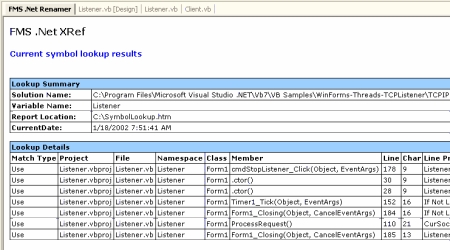
Current Results
Report
This file is saved in the application data
directory for Total .NET XRef, typically:
C:\Documents and Settings\yourname\Local
Settings\Application Data\FMS\Total .NET XRef\Reports\SymbolLookup.htm
Note that this report respects
the current
filter.
Printing the Report
After
Saving the
List to an HTML Page,
you can print the report. Select File, Print from the Visual
Studio .NET menu, or right-click on the report and select Print
from the context menu.
|


