|
Sorting Items
You can sort the list of items by any column or group of
columns. To sort by a column, click on its column header. To
sort by multiple columns, hold down the Shift key as you click
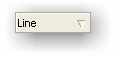
on column headers. When you sort by a column, an arrow appears
in the column header to show the sort order—a down arrow for an
ascending sort, or an up arrow for a descending sort.
Grouping Items
You can group items by column to see a more organized view of
the items. To group columns, click the Show/Hide Group By button
on the toolbar:

Now you can
drag column headers onto the group area below the toolbar. To
group by multiple columns, drag multiple columns onto the group
area.
Filtering Items
You can hide or show items by using the Filter. This is useful
when you only want to see items of a certain type. To access the
filter, press the Filter button on the toolbar:

After pressing the Filter
button, you will notice that the column headers have a drop down
button. Press the button to see the list of available filters,
and select the one you want. To remove all filters, press the
Remove all Filters button on the toolbar:

|


