Jump: Search:

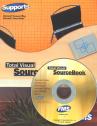
Total Visual SourceBook

Total Visual SourceBook CD and Printed Manual

Microsoft Access 2007/2010 Version
is Shipping!

New features in Total Visual SourceBook for Access, Office 2007 and VB6

Supports Access/Office 2010 (32 bit), 2007, 2003, 2002, 2000, and
Visual Basic 6.0!

Also available for:
Access 97/95


View all FMS products for Microsoft AccessAll Our Microsoft Access Products

SourceBook Info:

Why SourceBook?


"The code is exactly how I would like to write code and the algorithms used are very efficient and well-documented."

Van T. Dinh, Microsoft MVP


Royalty free source code library modules for Microsoft Access, VB6, VBA, OfficeRoyalty free source code library modules for Microsoft Access, VB6, VBA, OfficeVBA and VB6 Source Code Library Download the free trial version of Total Visual SourceBook for Microsoft Access, Office, VB6 and VBA
Category: General VBA/VB6 : String Handling
Description: String handling to concat, evaluate expressions, use tokens, and parse strings

Module: modStrings

Manipulate, parse, clean, capitalize and count strings

Procedure Name

Type

Description

(Declarations) Declarations Declarations and private variables for the modStrings module
ArrayToString Procedure Converts the passed array to a delimited string
CaseConvert Procedure Converts a string to upper case, lower case, or proper case. The built-in StrConv() function accomplishes the same thing as CaseConvert. Use this function if you want to change or enhance the functionality in StrConv().
CleanAmpersand Procedure Cleans strings with ampersands by doubling the characters. This function is useful when you are placing text the Caption property of a control. If the text contains an ampersand character, this will be displayed as an underline to denote a hot-key. For example, placing the following text: RD.Crumb& Associates in the Caption property of a label control causes the A in "Associates" to appear as a hotkey. This function solves this problem by adding an ampersand character to every ampersand character in the input string, which removes the character's special meaning.
CleanNonAlphaNumeric Procedure Strips non-alphanumeric characters from the specified string
CleanQuotes Procedure Coverts double-quote (") characters in a string to apostrophes ('). This is useful when using strings as SQL strings.
ContainsAlpha Procedure Determines if there are alpha characters other than "-" in the supplied string
CountDelimitedWords Procedure Returns the number of words in a delimited string
CountOccurrences Procedure Returns the number of times a string appears in a string
CountWords Procedure Returns the number of words separated by a variety of separators defined in WordsToArray
CountWordsSimple Procedure Returns the number of words separated by spaces
EncloseString Procedure Wraps the specified string in selected characters. This function is useful for enclosing table or field names containing spaces with brackets: Print EncloseString("Customer Address", "[", "]") [Customer Address] You might also want to use it to mark up lines for use with HTML: Print EncloseString("a walk in the park", "", "") a walk in the park And of course the function can be nested to wrap the strings in multiple sets of characters: Print EncloseString(EncloseString("a walk in the park", "[", "]"), "", "", True) [a walk in the park]
FillString Procedure Generates a string of repeated characters or strings. Unlike the built-in String function, this function allows you to generate strings of repeated strings, instead of just strings of repeated characters.
GenRandomPassword Procedure Generates a random string suitable for use as a password. Optionally formulates the string so that every other character is a vowel, which makes the word easier to remember and pronounce. To avoid using easily guessed passwords, or ones which are difficult to crack with a dictionary-based password cracker program, your users should use a meaningless password.
GetDelimitedWord Procedure Returns word intIndex in delimited string strText
GetFirstWord Procedure Returns the first word in delimited string strText and puts the rest in strRest
GetLastWord Procedure Returns the last word in delimited string strText, puts the rest in strRest
InsertString Procedure Inserts one string into another at the specified location.
IsCharLetter Procedure Determines if the passed character is a letter (a-z, A-Z, à-ÿ, À-Þ)
IsCharNumeric Procedure determines if the passed character is numeric
NumberSuffix Procedure Converts an integer into a string with a trailing suffix
NumberSuffixOnly Procedure Returns the suffix for a number
PadLeftString Procedure Left-pads a string to intStrLength characters for right justification
PadRightString Procedure Right pads a string for left justification
SmartCapitalize Procedure Capitalize words but not small words that are not the first word of the phrase (e.g. the, by, of, etc.) Also handles capitalization of letters after Mc and O' (e.g. McDonald or O'Donnell)
StringToArray Procedure Uses the Split() function to create a one-dimensional Array from a string.
StringToCollection Procedure Splits a String into collection items using the specified Delimiter
StripChars Procedure Removes the specified character from a string
TrimNulls Procedure Removes the null character and padding from a null-terminated string
ValidateZipCode Procedure Validates and cleans the supplied zip code. Note that this is a format check only. It doesn't check to see if the actual zip code exists.
WordsToArray Procedure Returns the number of words separated by a variety of separators. This procedure expects each word to be separated by one space. Multiple spaces between words cannot be parsed by this routine.
WordsToArraySimple Procedure Converts the passed string to an array of words, delimited by the specified character
WrapTextToArray Procedure Wraps the input string into an array

Overview of Total Visual SourceBook

The source code in Total Visual SourceBook includes modules and classes for Microsoft Access, Visual Basic 6 (VB6), and Visual Basic for Applications (VBA) developers. Easily add this professionally written, tested, and documented royalty-free code into your applications to simplify your application development efforts.

Additional Resources

Feedback

Contact Us  l   Web questions: Webmaster   l   Copyright © FMS, Inc., Vienna, Virginia
Celebrating our 26th Year of Software Excellence