



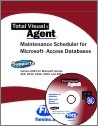
 Total Visual Agent User Manual for Microsoft Access
Total Visual Agent lets you easily schedule and execute a wide range of tasks for optimal performance of your Microsoft Access Jet Databases and run them in a fully automated and audited manner.
At FMS, we believe documentation is critical to your ability to maximize the value of our software products. The user manual is 139 pages and fully indexed to make it easy to learn about Total Visual Agent, including how to use it, archiving a database action, and troubleshooting tips.
Download the User Manual
For your convenience and review, a PDF copy of the user manual is available for you:
 Total Visual Agent User Manual
Table of Contents
Chapter 1: Introduction
- About Total Visual Agent
- How Total Visual Agent Works
- New Features in This Version: Total Visual Agent 2021
- Enhancements in Previous Versions
- Visit Our Web Site
Chapter 2: Installation
- System Requirements
- Installing Total Visual Agent
- Uninstalling Total Visual Agent
Chapter 3: Startup and Configuration
- Launching Total Visual Agent
- Starting Total Visual Agent for the First Time
- Using the Total Visual Agent Manager
- Configuring the Options
- Importing Settings from a Previous Version
Chapter 4: Scheduling Events
- Event Schedule Overview
- Creating an Event Group
- Event Schedule Cycles
- Hourly Schedules
- Daily Schedules
- Weekly Schedules
- Monthly Schedules
- Yearly Schedules
- One Time Events
- Managing Events
- Next Steps
Chapter 5: Adding Items to Events
- Event Item Overview
- Adding an Access Jet Database Item
- Adding an Access Data Project Item
- Adding a Task Group Item
- Adding a Directory Item
- Moving Items to a Different Event
- Next Steps
Chapter 6: Adding Actions to Event Items
- Action Overview
- Archive Database Action
- Table Data Extract Action
- Compact Database Action
- Custom Command Action
- Database Statistics Action
- Execute Named Macro Action
- Testing a Scheduled Action
Chapter 7: Other Management Features
- Managed Databases
- Monitor and Service Status
- Activity History Log
- Database Statistics
Chapter 8: Running Scheduled Events
- Running Scheduled Events
- Using the Total Visual Agent Monitor
- Using the Total Visual Agent Service
Chapter 9: Product Support
- Support Resources
- Troubleshooting
- Web Site Support
- Technical Support Options
- Contacting Technical Support
Index
Version 2021 is shipping!

With Windows Service!
Supports: All Access, Jet Engine, and Visual Basic versions

Reviews
"Total Visual Agent is a real find, a rare combination of ease of use, and bang for the buck. In the end, no other competitor even comes close."
Thomas Wagner, Product Review in MS Office and VBA Developer


Agent Info
Related Resources
Additional Info




