



Product Review - Total Access Speller
Microsoft Office Solutions, Faithe Wempen, 8/1/2002
FMS Brings Spell Checking to Access Databases
It's entrepreneurship at its best: A company listens to users' complaints about a weakness in a popular program, and then the company provides a solution. That's exactly what FMS, Inc. has done for Microsoft Access database developers with Total Access Speller.
Access developers long have bemoaned the fact that the spell checker in Access is inadequate. It checks only the data in tables. If you make typos in any other area, such as in validation text, a dialog-box title, or a form or report label, you're out of luck. This is unfortunate for developers because they typically spend very little time entering data into tables anyway. A developer spends more time building the structure of the database application, working in all the areas where there is no spelling safety net.
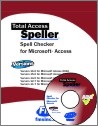
Total Access Speller is an add-in for Access that runs a complete spelling check of virtually every nook and cranny of an Access database. The product focuses on all the areas where a developer is likely to type or edit text, and it offers correction suggestions in an interface style similar to Microsoft's spell checker. FMS makes and sells three separate versions of the product: one each for Access 97, Access 2000, and Access 2002.
Think you don't have any typos in your databases? You might be surprised. For example, you might think the Northwind sample database that comes with Microsoft Access would be error-free, but, by using Total Access Speller, I was able to identify and correct at least three typos in it.
Spelling it Out
Total Access Speller is an add-in. Running the Setup program installs the add-in, so it's already there on the Tools | Add Ins menu when you start Access. To use it, open the database you want to check (but not any particular object) and select the add-in from the menu to start the Total Access Speller Wizard.
In its first step, the wizard builds a list of checkable objects in your database. The wizard can check the following objects:
- Access/Jet tables and linked tables
- Access/Jet table fields and linked table fields
- Forms and form controls
- Reports and report controls
- Macros
- Built-in command bars
- User command bars
Then, the wizard presents the list of objects, and you can place a checkmark beside each object type you want to check, as shown in FIGURE 1. Notice that there is an Edit Property List button. This opens a dialog box in which you can filter out certain properties you don't want to check.
Next, the wizard builds a list of property values to check. This can take a few minutes if you have chosen a lot of object types and if your database is large and complex. Then, it presents a comprehensive list of properties and values, organized by object type. To start checking, click the Spell Check button.
During the actual spell check, a dialog box, complete with spelling suggestions, appears for each word that's not in the dictionary. If the dialog box seems familiar, that's because it's the regular Microsoft Office spell-checker window. You work with the one in Total Access Speller the same as you would with the one in Office, by choosing Ignore, Ignore All, Change, and so on as appropriate.
With any utility that looks at the names of properties, macros, fields, and the like, getting many false hits on a spelling check is inevitable. Most developers name things with multiple words run together as one word. I had to click Ignore All hundreds of times during the 10 minutes the tool worked through my database. Still, it was time well spent because Total Access Speller found several true spelling errors.
Corrections are not applied until you go through a Confirm Changes screen. At that point, the program makes the changes and generates a Changes Report. This report is a godsend for developers who work for companies that insist on documentation for every change, no matter how minor. Make sure you print the report before closing its window, however, because it is not saved to the database's Reports list.
Total Access Speller can identify spelling errors in all objects, but it can't make changes to some types automatically. For example, the Changes Report shown in FIGURE 2 lists several changes that must be made manually.
Set-up Slap-down
My only real complaint about this product is the setup. It just wouldn't work on my main PC (a Windows XP machine loaded with a complement of hardware and software). The setup would appear to be working normally, and then, at the last minute, it would bomb out with a message about not having administrator permission (even though I was running it as an administrator). The product documentation and an e-mail to tech support produced the same advice: disable all running programs, especially anti-virus programs, before installing. No good. Not having a whole day to waste on it, I ended up installing the product on a Windows 98 virtual PC under VMWare, where it ran flawlessly.
Overall, the setup routine could have been a little more polished. For example, when entering the serial number, I had to tab into each of the boxes for the different number strings manually. In most other products' setup routines the cursor moves automatically to the next box, so you can type in the long serial-number string more easily.
This product performs a useful service for developers, and the $199 price tag is justifiable when you consider the devastating credibility hit that a database application and its developers take when end users notice typos in it. You can download a demo version or purchase online from http://www.fmsinc.com
Faithe Wempen has a master of arts degree and is an A+ certified computer technician and a Microsoft Office User Specialist Master Instructor. She owns and operates a computer training and support business in central Indiana and is the author of more than 50 books on computer hardware and software. Faithe serves on the board of directors for the Center for Applied Spirituality in Indianapolis and on the CertCities.com Editorial Advisory Board. She also is an industry advisor for the Training Inc. PC Technician curriculum in Indianapolis.
Just the Facts
Total Access Speller is an add-in that provides spell checking for the nooks and crannies of a database where developers type and edit text.
Microsoft Access 365/2016 is shipping!

Also Available for
Microsoft Access 2010, 2007, 2003, 2002, 2000, and 97

Reviews
"Total Access Speller is a solid product. If you need spell checking in your applications, you should get Total Access Speller."
Paul Litwin, Editor, Smart Access Product Review
Speller Info


Additional Info




