Microsoft Access Help, Resources and Services from FMS
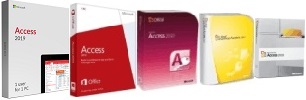 As the world's leading provider of software solutions for Microsoft Access, we've generated a wide range of material to help the Microsoft
Access community over the years. To make it easier for Access enthusiasts to find, we've created this overview of what's available across our web site and at FMS.
As the world's leading provider of software solutions for Microsoft Access, we've generated a wide range of material to help the Microsoft
Access community over the years. To make it easier for Access enthusiasts to find, we've created this overview of what's available across our web site and at FMS.
History of Microsoft Access
Microsoft Access is the most popular database in the world. Originally launched in the fall of 1992, Microsoft Access took over the Windows desktop database market and empowered the masses.
Microsoft Access provided a database platform that let end users create Windows database solutions on their own for the first time, yet provided enough depth to allow professional developers to create powerful solutions.
Over time, Access became more and more powerful. It became part of the Microsoft Office Professional product, it added tight integration with SQL Server to extend its power beyond the Jet database limitations, and it continues to thrive with the latest enhancements in Microsoft Access 2010 and lots of new features to create Access solutions that were not possible before. With Microsoft's ongoing significant investment in Microsoft Access, Access databases will be around for a long time.
FMS and Microsoft Access
 FMS
was involved with Microsoft Access from the beginning and have grown with the Access community.
FMS
was involved with Microsoft Access from the beginning and have grown with the Access community.
- We were there when it launched. Here's an interesting story Microsoft wrote about FMS President Luke Chung's experience when he was honored as an 'Access Hero'
- We wrote portions of the original user manual
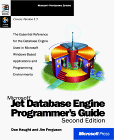
- We wrote Microsoft Jet Database Engine Programmer's Guide (Microsoft Press)
- We've written numerous articles and given many presentations at conferences around the world
- We are the world's leading creator of commercial products for the Microsoft Access community with support for Access 2016, 2013, 2010, 2007, 2003, 2002, 2000, and 97
- We've created many custom solutions with Access and other technologies for our customers
We've made many friends in the Access community over the years from around the world, and we're always happy to help people maximize their investment in Access and take advantage of all its potential.
FMS Resources for Microsoft Access

There is a lot of confusion over where Microsoft Access fits within an organization. Here's a paper written by FMS President Luke Chung that describes the issues, challenges, and where and how Access can best work within your organization:
Database Evolution: Microsoft Access within an Organization's Database Strategy
Published in journals and presented at several conferences, it's an interesting, non-technical overview of:
- How Access databases evolve
- How that causes problems if organizations are not prepared
- How with some basic planning, the strengths of Access give organizations a competitive advantage
It comes down to differentiating between tactical versus strategic needs. MS Access is not appropriate in all case, but if it can be done in Access, it's often the most cost competitive option.
We've written a variety of detailed papers to help you better create Access applications and write VBA code. They are organized into broad groups of resources:
 Microsoft Access Query Center
Here are some examples of some technical papers:
In addition to detailed technical papers, FMS also offers Tips and Suggestions for using and developing Access applications and related technologies. These tips and techniques are fairly brief and generally cover a workaround for an annoying situation, or a brief concept or "trick". For instance:
- Error Handling and Debugging Techniques for Microsoft Access, VBA, and Visual Basic 6 (VB6)
- Using the Decompile command to Address Bad DLL Calling Convention errors
- Pinpointing Exactly Where A Crash Occurs in Your Module Code

Our Total Access Analyzer program examines Access databases to pinpoint a wide range of issues. Here's the list of Microsoft Access Best Practices revealed by Total Access Analyzer. As we learn more, we incorporate them into Total Access Analyzer to automate their detection.

Selected by Microsoft to lead a national campaign for SQL Server Upsizing, we have extensive experience evaluating the tradeoffs for keeping data in Access databases versus migrating it to SQL Server.
If you've outgrown Access and are ready to upsize for increased security, extensibility, and a huge number of simultaneous users, we can prepare your Access database application and migrate the data to SQL Server.
Visit our Microsoft Access to SQL Server Upsizing Center to learn more about the issues and how we can help you.
FMS offers a wide range of sophisticated, commercial off the shelf (COTS) products to maximize your investment in Microsoft Access. As the world's leading provider of 3rd party products for Access, we have extensive experience meeting the needs of the MS Access community. In fact, most of our products were inspired by the challenges we encountered ourselves.
We hope our products find a place in your toolbox so that you can operate at peak efficiency. Click here for a summary list and description of all the FMS Products for Microsoft Access.
Our products have many features, so it's difficult to describe them with a few words and pick how it's best for you. We hope you'll use this summary to identify products that are relevant to you, and dig deeper to discover why so many Access professionals use our solutions.
The boxes in Yellow are particularly appropriate for that product and user category.
| User Category | ||||||
|---|---|---|---|---|---|---|
| Product Name | Primary Feature | End User | Power User | Developer | Quality Assurance | Database Administrator |
| Total Access Analyzer | Analyze your databases for improvements. #1 Access add-in of all time! |
 Fix errors, learn and apply Best Practices |
Learn and apply Access Best Practices |
Find and fix problems before shipping | Find problems as part of testing |
Helpful for taking over existing databases |
| Total Access Admin | Monitor who is in your database | maybe | for multi-user environments |
Troubleshooting database corruption |
See who's currently locking a database | |
| Total Access Components | Enhance your user interface |
Add cool features without coding |
Dazzle your users; add a professional touch |
The only collection of ActiveX controls for Access | ||
| Total Access Detective | Find differences between databases and objects |
For data differences between tables |
If you lost track of what you modified |
Know exactly what changed between two databases or objects |
Know what changed between versions |
|
| Total Access Emailer | Personalized email blaster can sends data & reports |
Easily email everyone on your list |
Email Access data and reports |
Add and deploy email blasts in your applications |
||
| Total Access Memo | Rich text memo fields to forms and reports |
Write and store formatted memos |
|
Give your users the rich text memo fields they expect |
||
| Total Access Speller | Spell checker | Fix typos on report labels |
|
Find and fix typos for your user interface |
Find typos before shipping |
|
| Total Access Startup | Launch the right version of Access and your database | if building databases for others | Easily deploy new builds | Centrally manage DBs across a network | ||
| Total Access Statistics | Statistically analyze your data |
Extend the power of Access queries |
Add statistical values to your reports |
Amaze your users with your number crunching ability |
||
| Total Visual Agent | Compact, backup, run macros, etc. on an automated schedule | If you're responsible for databases, you want this to run nightly |
Schedule tasks |
Make sure databases are kept healthy | ||
| Total Visual SourceBook | Royalty free source code library | great way to learn how to code | Why write code we've already written and tested? | |||
| Total Visual CodeTools | Code writing, cleanup, and delivery tools. Apply error handling and variable naming conventions. | Code builders and helpers you'll use continuously |
Add line numbers to trap exactly where a crash occurs |
Make sure your team uses this for consistent styles and error handling. Cleans up existing code | ||
| Total Zip Code Database | USPS zip codes for city & state lookup and fill | Enter a zip code and never type a city name again |
Save time and eliminate typos |
Deliver magic by auto filling city and state when users enter a zip code |
Improve quality during data entry |
|
| Suites | Multi-product bundles | maybe | Absolutely! | |||
Category Definitions
- End User
Uses Access interactively for data collection, querying, reporting, etc. Does not program or write macros. - Power User
Uses Access interactively and able to create automated solutions with macros and rudimentary VBA. - Developer
Creates databases for use by others. Experienced with writing VBA modules. Creates multi-user solutions across a network and/or deployed to other sites. Concerned about quality, maintainability, ease of deployment, and on going support. Interested in adopting best practices and providing features without always coding it from scratch. - Quality Assurance
Tests applications. Benefits from tools that assist with improving quality, reliability, and consistency. Burdened with proving mistakes and crashes are real and reproducible. - Database Administrator
Ensures that applications are properly maintained, backed up, compacted, etc. after they are deployed. Also concerned that best practices are used when new users and developers are added, and when old ones leave.
As the world's leading provider of Microsoft Access related solutions, we have extensive experience creating great Microsoft Access applications. From single user to multi-user, desktop to SQL Server, and beyond, FMS can help you with the services you need to maximize your investment in Microsoft Access. Whether you're a beginner or expert, supplement your skills and your organization's needs with our services.
If you need an experienced Microsoft Access programmer to enhance your existing database or create a new one, learn more about our Professional Solutions Group and all our software development services including:
Connect with us for our latest news:
-
 Blog with us to see the latest information and subscribe to RSS feeds
 -
 Facebook
 -
 X/Twitter
 - Email newsletter
Our free email newsletter keeps you informed of the latest news at FMS including new tips, product information, beta invitations, and more. View our email newsletter page to read past newsletters and sign up for new ones.
Microsoft Access Suites
Money Saving
Multi-Product
Suites!
Access Resources
Connect with Us
 Email Newsletter
 Developer Team Blog
 Support Forum & Tickets



