



Total Access Components
By: Matt Leigh
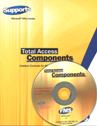
Total Access Components is a collection of custom controls for MS Access. Version 8 is for Access 95/97. These controls provide easier to use interfaces for existing capabilities and additional capabilities which are not available with Access.
Following is a list of the 27 controls that are included.
Document, Form, and Report Controls:
- About Box, Bitmap Effects (fades, transitions, plus), Borders (fancier than standard options), Clock (variety of displays), Common Dialogs (easy to use interface to the standard common dialog capabilities, i.e. Fonts, Colors, Printers, File Open), Digital Display (LED-like, similar to that of a calculator), Enhanced Button (combine text AND Bitmaps), Gauge (like a gas gauge or pressure meter, includes multiple varieties), Icon Menu (similar to Outlook), Marquee (scrolling text), Notes (an icon on your form indicates additional info is available, clicking pops up the notes), Progress Meter, Slider, Spin Buttons, Splitter (user can change relative size of two parts of a form), Text Effects, Tab Strip.
Multimedia Controls:
- AVI, CD Player, Wave and MIDI.
Programmer Utilities:
- Clipboard, INI File, Registry, Resize, System Info (free memory, disk space, plus), Timer.
General Comments
- The components installed easily (4 disks) and included a user manual which appears to be well written, organized, and helpful.
I was particularly impressed with the included demo. This demo is a single .MDB file which has each of the controls implemented. Some controls had several implementations to demonstrate different options.
From a creative perspective, the demo was good because it demonstrated how flashy you can make your application look. It also provided a variety of examples of how the controls could be used and integrated into an application.
The demo MDB opens with a REAL splash screen that is slowly revealed using a transition method. (Bitmap transitions are when an image is slowly revealed, or fades, or slowly changes into a second image. Transitions are common in PowerPoint and various other slide shows.)
From a utilitarian perspective the demo was good because it had WORKING examples of each control. How many times have you tried to implement a new control, and it took you hours to figure out how to just get it to do ANYTHING? The database was unsecured and completely open for modification and copying (the WORKING) examples.
To get a little more intimate with the controls I attempted to implement the AVI control. This one caught my eye because I thought the idea was so cool to be able to show a movie in your Access application.
I started by referencing the user manual. Which almost got me to a working control. I had to check out the demo to identify what I was missing (I wasn't 'opening' the AVI file before attempting to 'play' it). All told I had a simple working AVI Viewer in less that 15 minutes.
Evaluation
In general I thought the product was well developed and of good quality. I saw value in the product in several situations.
Some of these controls have the potential to increase the 'use-ability' and effectiveness of your application, Many of the controls allow you to do things that Access just can't do. If this product can save you a couple of hours of development, then it is probably already worth it. A single development license is about $150 and the files are freely distributable. Of course being 'worth it' does depend on the actual value you or your company places on your time. (My rate is not quite to 4 (dollar) figures an hour yet, but I'm working on it.)
The 'flashiness' and capabilities of some of these controls is impressive. If you want to make your work distinct from others (unless they too have these controls), or you want to be well remembered by clients and get noticed, or you want to impress other people in general, or you just want to have fun, then these controls are for you.
In particular I saw possible work generating capability or advertising via use of the About Box, Bitmap Effects, Text Effects, and Marquee. These controls can be very eye catching and can provide contact information through a splash screen and by having an about box.
Keep in mind though, that if you use the controls when you distribute your application you will need to include a setup program to install and register the controls (OCX files) on the target machine. Creating a setup program is relatively simple using the Setup Wizard.
General Information
A single developer license was listed at approximately $199. The OCX files are distributable without license (provided each developer has a licensed copy).
Matt Leigh is also known as Dr. DB, Your friendly neighborhood database developer and Independent Consultant extraordinaire.
Microsoft Access 32 and 64-bit Versions are shipping!

for Microsoft Access 365/2021, 2019, 2016, 2013, 2010, 2007, 2003, 2002, and 2000!
Also available for
Access 97/95

Reviews

Components Info

Additional Info




