



Microsoft Access Table Dictionary Sorted by Table Name
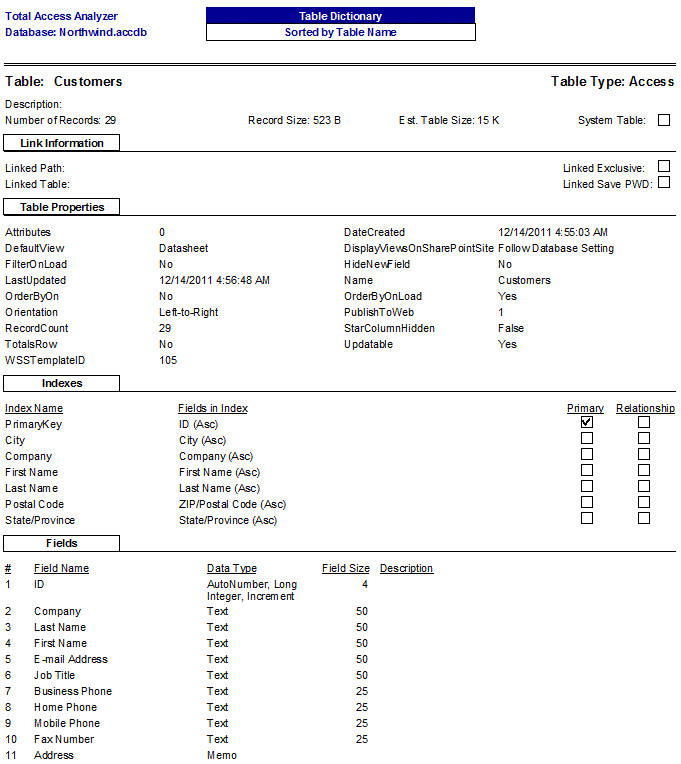
The Table Dictionary Report provides a detailed description for each Microsoft Access table or linked table on a separate page.
Quickly see table information such as links, number of records, record size, table properties, indexes, and each field. This report gives you the consolidated information you need to understand and maintain it. A more extensive report is also available showing field properties for each of the fields.
Total Access Analyzer Reports for Microsoft Access Tables
Here's the complete list of the Total Access Analyzer reports documenting the tables in your MS Access database. Click on the hyperlinks for more information. Rather than overwhelm you with every report, we've provided a subset of the most interesting reports for you to review. The others show similar data but use different sort orders or filters.
Basic Table Lists
Simple lists to gain a quick understanding of all the tables in your database and their relative size
- Table List, Sorted by Table Name
- Table List, Sorted by Table Type (to see tables by linked data source)
- Table List, Sorted by Number of Records
- Table List with Estimated Sizes, Sorted by Number of Records
- Table List with Estimated Sizes, Sorted by Tables Size
- Table List Details, Sorted by Table Type
Table Properties
- Table Properties, Sorted by Table Name
- Table Properties, Sorted by Property Name
Table Fields
Examine fields lists for each table, or for each field which tables its in, along with their properties
- Table Fields, Sorted by Table Name (Portrait and Landscape versions)
- Table Fields, Sorted by Field Name (Portrait and Landscape versions)
- Table Fields, Sorted by Data Type and Size Summary
- Table Fields, Sorted by Data Type and Size Detail
- Table Field Properties, Sorted by Table Name
- Table Field Properties, Sorted by Field Name
- Table Field Properties, Sorted by Property and Table
- Table Field Properties, Sorted by Property and Field
Table Field General Properties
Look at all the properties of a field the way you would in the table designer or see a property value across all the fields that have them.
- Table Field General Properties
- Table Field Lookup Properties
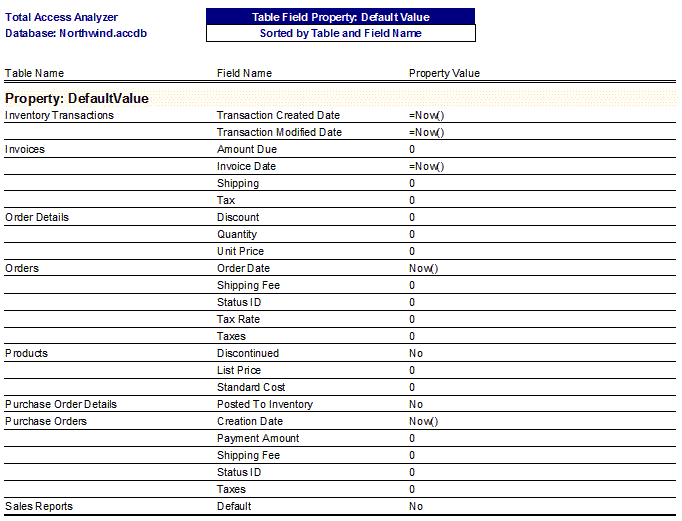
- Table Field Property Slice DefaultValue
- Table Field Property Slice Format
- Table Field Property Slice InputMask
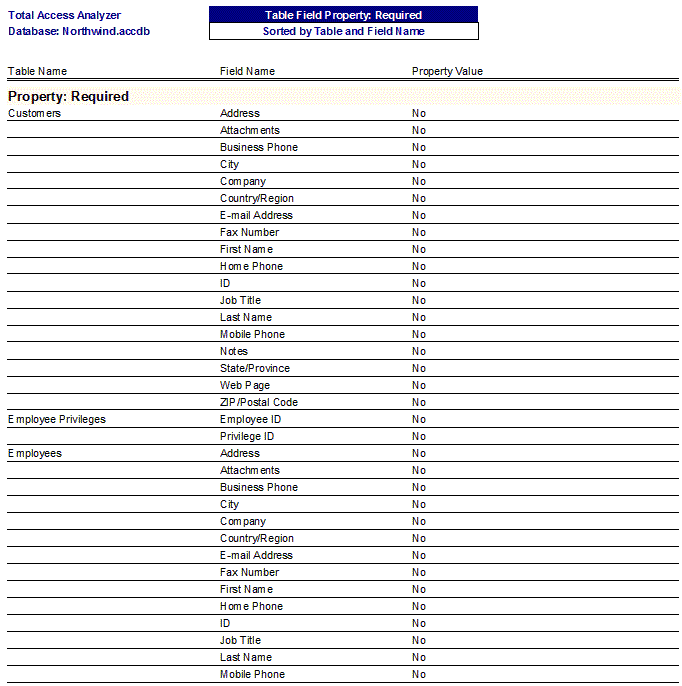
- Table Field Property Slice Required
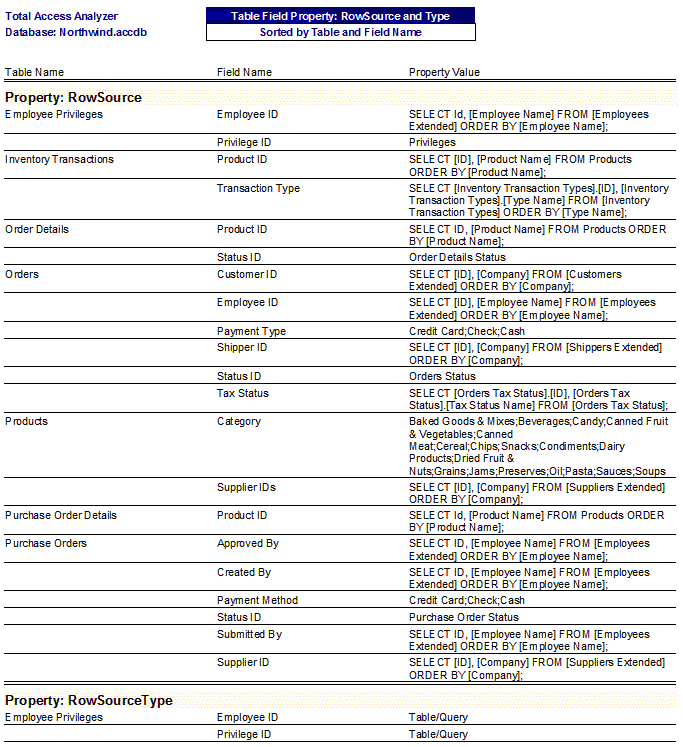
- Table Field Property Slice RowSource and Type
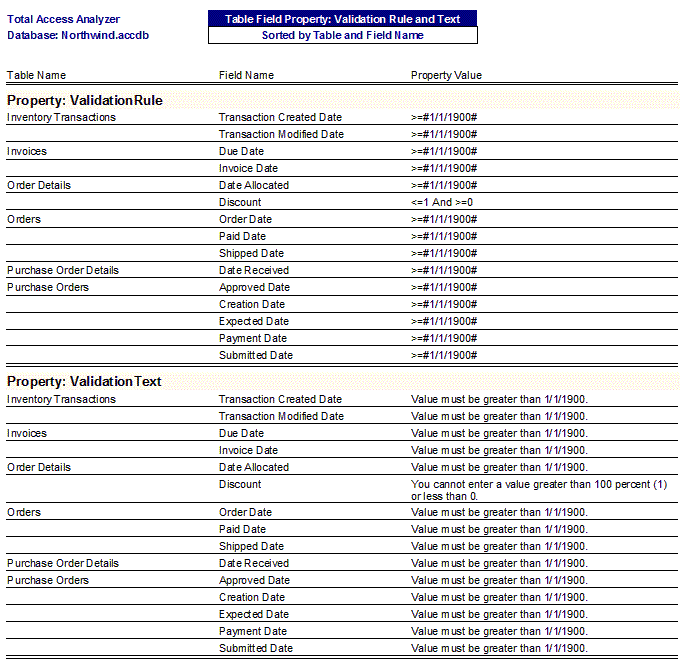
- Table Field Property Slice Validation Rule and Text
- Table Fields with Different Types (detects inconsistent field definitions)
Table Indexes
Examine indexes and their fields and properties
- Table Indexes, Sorted by Table Name
- Table Indexes, Sorted by Fields
- Table Index Properties, Sorted by Table Name
- Table Index Properties, Sorted by Property and Table
- Table Index Properties, Sorted by Property and Index
Table Dictionaries
Detailed listing of each table, its properties, indexes, fields, etc.
- Table Dictionary
- Table Dictionary with Field Properties
Table Cross Reference
- Table Cross Reference (where tables are used)
- Field References Sorted by Field Name
- Data Flow Diagram (multi-level cross reference)
Microsoft Access 2019 / 365 Version is shipping!

Version 16.7 for
Microsoft Access 2016
Version 15.7 for
Microsoft Access 2013
Version 14.7 for
Microsoft Access 2010
Version 12.97 for
Microsoft Access 2007
Version 11.95 for
Microsoft Access 2003
Version 10.8 and 9.8 for
Access 2002 and 2000

Awards and Reviews



"Total Access Analyzer is an amazing product that I've relied on and recommended for years. It's a huge time saver."
Sal Ricciardi, Programming Writer, Microsoft Corporation
Analyzer Info


Why Analyzer?
Additional Info




