



Add Calendar Date and Time Pickers to Simplify Data Entry on Microsoft Access Forms
Give your Microsoft Access users on any version of Access the ability to pick a date from a calendar with the DateTime Picker control in Total Access Components. You can also create a time picker and specify the formats:
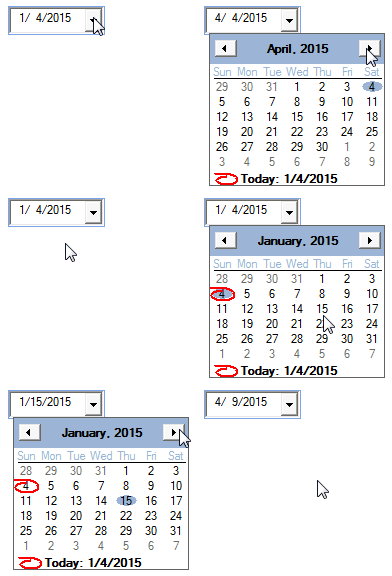
Date Picker with
Calendar Drop Down
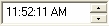
Time Picker
Use the spin buttons to adjust the hours, minutes, or seconds
The DateTime picker not only simplifies data entry, it also ensures accurate data is selected and formatted.
Using the DateTime Picker Control
Easily place the DateTime picker control on your form, then specify:
- Whether you want the user to select a date or time
- Optionally bind it to a Date/Time field
- The format for the date or time
- Long date with spin buttons for individual parts:

- Short date
- Time
- Custom format
- Long date with spin buttons for individual parts:
Programmatic Options
VBA is not required to use this control; however, all properties can be set programmatically.
Menus
 Icon Menus
 Popup Menus
Form Design
 Form Resizers
 Splitter Bars
 Tab Strips
 Cursors
 Timers
Relative Values
 Gauges
 Progress Meters
Data Entry
 Date Time Pickers
 Popup Notes
 Slider Bars
 Spin Buttons
Animation
 Bitmaps
 Marquees
Visual Effects
 Borders
 Clocks and Alarms
 Digital Displays
 Enhanced Buttons
 Rotated Text
Windows Dialogs
 About Box
 Browse for Folders and Printers
 Clipboard
 Common Dialogs
 INI Files
 Registry Settings
 System Information
Multimedia
 CD Player
 Music Sound File Player
 Video AVI Player
Supports Microsoft Access 2016, 2013, 2010, 2007, 2003, 2002, and 2000


