



Play AVI Videos in a Microsoft Access Form
The AVI control lets you play Windows digitized video *.AVI files. You can play, pause, stop, rewind, and navigate in these video files, and set repeat play.
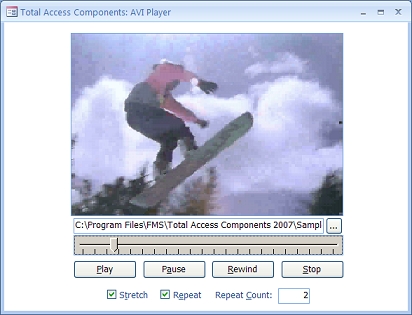
Note: Your PC must have the correct hardware and drivers installed to play the video.
Using the AVI Control
Place the Total Access Components AVI control on your form and size it. Then set the name of the file to play (this can also be set via VBA at runtime). These method are available:
- Open and Close the file
- Play
- Pause
- Rewind
- Stop
Additional AVI File Properties
- Length in milliseconds
- Current position
- Repeat if you want it to restart
- Repeat Count
- Stretch to expand to the control size
AVI Events
In addition to the standard mouse and keypress events, two events are available:
- OnNewPosition when a new position in the movie is reached
- OnReplay when it restarts
Menus
 Icon Menus
 Popup Menus
Form Design
 Form Resizers
 Splitter Bars
 Tab Strips
 Cursors
 Timers
Relative Values
 Gauges
 Progress Meters
Data Entry
 Date Time Pickers
 Popup Notes
 Slider Bars
 Spin Buttons
Animation
 Bitmaps
 Marquees
Visual Effects
 Borders
 Clocks and Alarms
 Digital Displays
 Enhanced Buttons
 Rotated Text
Windows Dialogs
 About Box
 Browse for Folders and Printers
 Clipboard
 Common Dialogs
 INI Files
 Registry Settings
 System Information
Multimedia
 CD Player
 Music Sound File Player
 Video AVI Player
Supports Microsoft Access 2016, 2013, 2010, 2007, 2003, 2002, and 2000


